


*Exclusions apply. By subscribing, I confirm that I am 18 years of age or older and agree that my personal information may be used by SafetyEyeglasses.com to send me news, special offers, and other marketing communications. For more details, please review our Terms & Conditions and Privacy Policy. You may unsubscribe at any time.
- Safety Glasses
Collection
Feature
Shop By
- eVouchers
EMPLOYER SOLUTIONS
Employee Eyewear
Voucher Program
A simple, flexible way to provide prescription safety eyewear for your team.
- Easy to purchase and assign vouchers
- Control product options to meet your safety requirements
- Never expire - unused vouchers can be re-assigned
- Employees get the eyewear they need, with options they'll wear
Custom Voucher Levels
Support Employee
Safety & Productivity
Give your team the vision and protection they need to do their best work.
Meet Workplace
Safety Requirements
Set options to ensure compliance with your safety policies.
Flexible & Easy
to Manage
Purchase, assign, and manage vouchers through your online account.
Control Costs
Employees can use voucher balances for future purchases.
Customize Vouchers to Meet Your Safety Requirements
Control the eyewear options available with your vouchers.
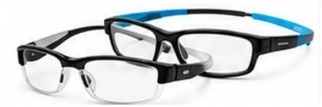
Frame Options
Allow all frames or limit to non-conductive frames for electrical work environments.

Lens Filters
Limit lens options to exclude tints and/or photochromic (transition) lenses when required.
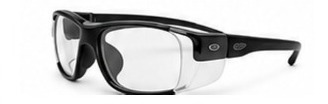
Permanent Side Shields
Require frames with permanent side shield to meet your workplace standards.
How the Voucher Program Works
From purchase to eyewear, the process is simple for both you and your employees.
1
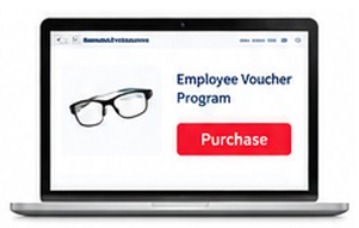
Purchase Vouchers
Select the package levels and set your options.
2
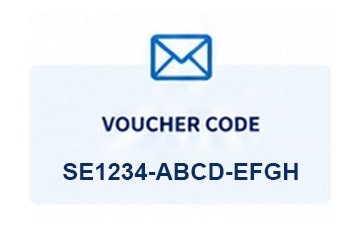
Assign to Employees
Send voucher codes to individual employees or purchase in bulk.
3
Employees Redeem
Employees create an account, use their voucher code, and shop for approved eyewear.
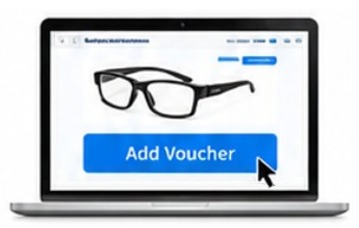
4
Manage & Reassign
View voucher status, reassign unused vouchers and support employees as needed.

Voucher Never Expire
Employees can use their voucher wherever they are ready.
Use Remaining Balances for Future Purchases
If the purchase is less than the voucher amount, the remaining balance stays on the employee’s account for future orders.
Re-Assign Unused Vouchers
If an employee leaves, you can easily create a new voucher code and assign it to a new employee.
Track and Manage Online
View voucher status and manage your program through your account.

50% OFF on Safety Frames
When Lenses Are Purchased. Enter your email to unlock this exclusive safety eyewear deal.

